product1 min read
eqMini: A Small Equalizer for macOS
I built eqMini to get fuller sound from my 13-inch MacBook Air. Its speakers leave bass-heavy music sounding thin, and I couldn't find an open-source equalizer I trusted that worked the way I wanted.
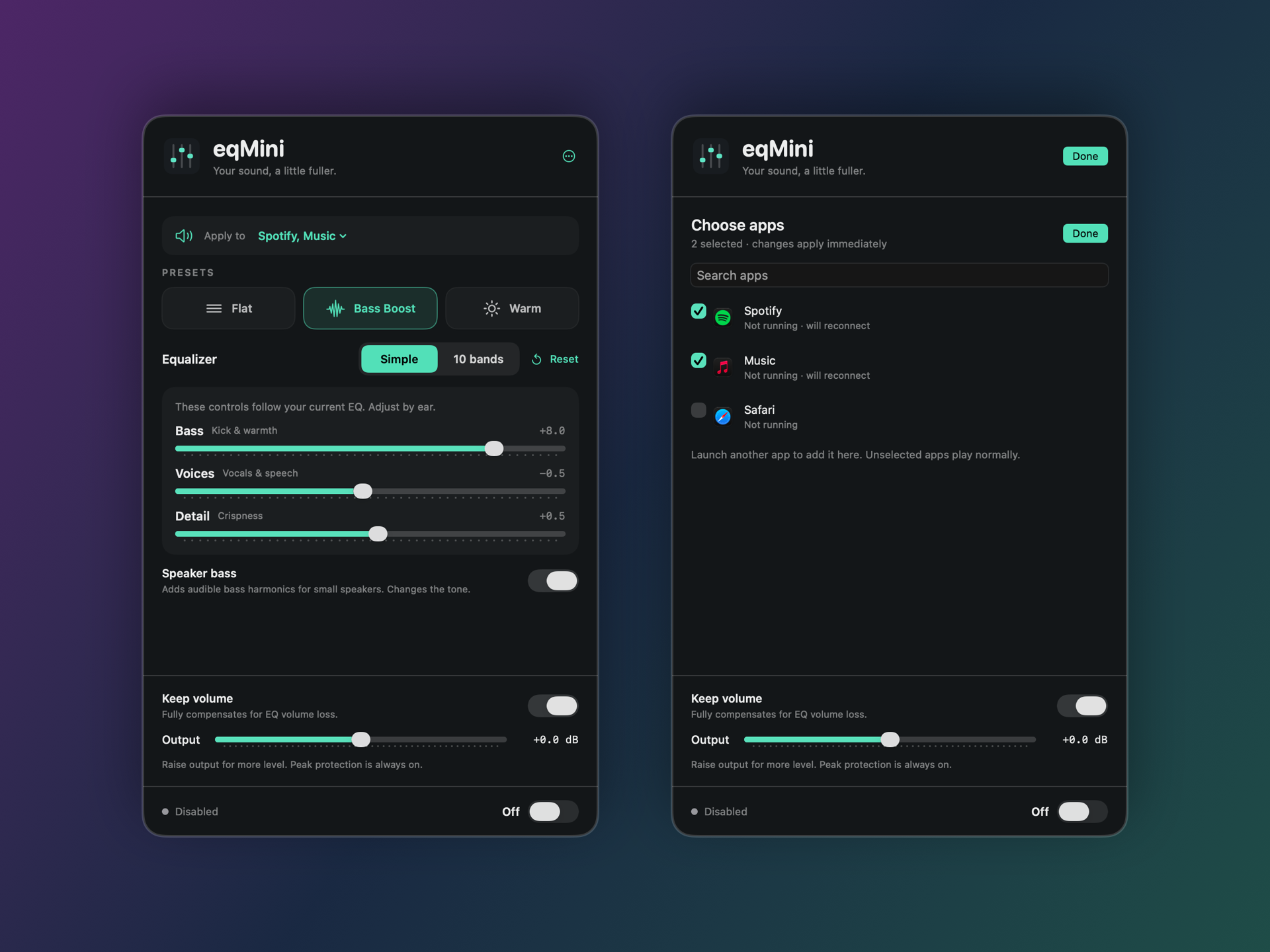
The main features are:
- Simple controls and presets, with an optional ten-band EQ. Switching views keeps the sound unchanged.
- All audio or selected apps. Adjust Spotify and Music while leaving browser audio alone.
- Speaker bass and Keep volume for fuller sound and compensation for EQ volume loss.
- Local processing without saved recordings, uploads, analytics, or network requests.
- A native menu-bar app, with an optional window and launch at login.
- MIT-licensed source, with no virtual audio driver required.
Keep volume addresses something I've missed in many equalizers: boosting bass can make everything else sound quieter. With per-app EQ, that gets annoying quickly. I turn up the system volume for music, then a browser or another app plays much louder than expected. Keep volume compensates for the EQ's volume reduction to help avoid that mismatch.
Peak protection stays on, so strong boosts can still sound compressed. The bass enhancer also has limits: it can't replace what small speakers physically lack.
Built with SwiftUI and Core Audio, eqMini requires macOS System Audio Recording permission to process other apps' sound. It explains why before requesting access.
The code is MIT licensed on GitHub, with downloads available under Releases. It requires macOS 14.2 or later; the current download is for Apple silicon.
I used AI tools to help with the code and edit this post.